In Managed Services, use the Service Provider (SP) metadata
To configure IdP Metadata in the Managed Services Portal, perform the following steps:
-
Log in to the Managed Services Portal.
-
At the top of the page, open the ADMIN drop-down menu.
-
From the drop-down menu, select ID Providers.
-
In the ID Providers table, locate the new IdP you created in the first procedure (“In Managed Services, add the Identity Provider (IdP) and retrieve its metadata”), and then click the Update IdP icon.

Update IdP icon
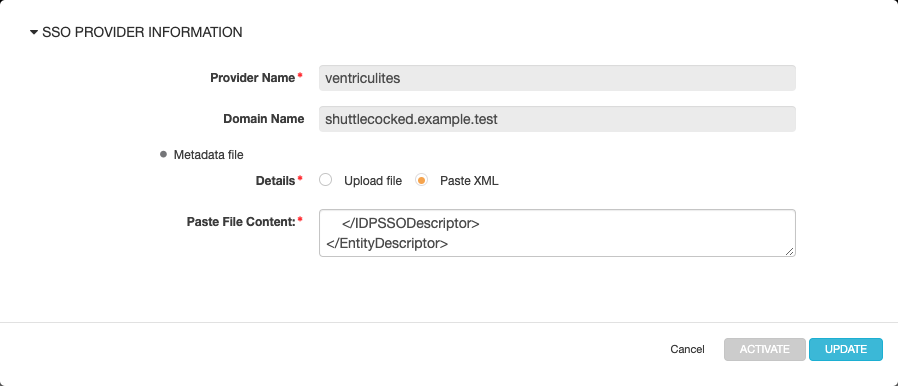
Managed Services opens an SSO PROVIDER INFORMATION dialog.
-
Go back to Okta. In the Get SP MetaData Content page tab that you opened in the previous procedure, copy the XML content.
-
Go to Managed Services again. In the SSO PROVIDER INFORMATION dialog, click to choose the Metadata file > Details > Paste XML option, and then paste the XML content you just copied into the Paste File Content box.
-
Click UPDATE.
Now Managed Services users can be authenticated by using Okta to sign on.
-
Log out of Okta.
Parent topic:Configure the Identity Provider (IdP)