Updating a Customer Profile
Every user must have a customer profile with the billing or mailing address filled out. The billing or mailing address for a user can be updated from the Customer Profile navigation link at the top right corner of the Managed Services page.
To update a customer profile, perform the following steps:
-
Click on your username at the top right corner of the Managed Services page. A drop-down navigation menu should appear.
-
Click Customer Profile.
-
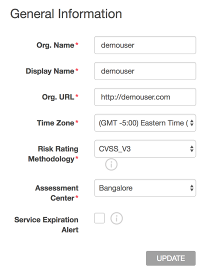
Under General Information, update the required fields with any missing information.
-
Once you've completed filling out the General Information, click Update.
-
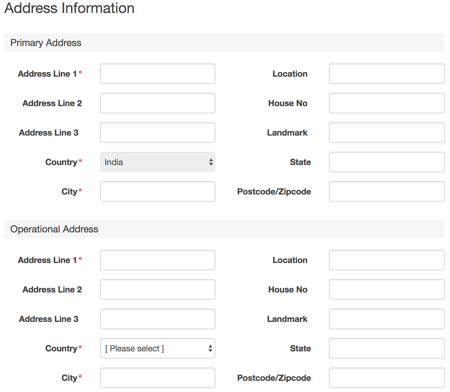
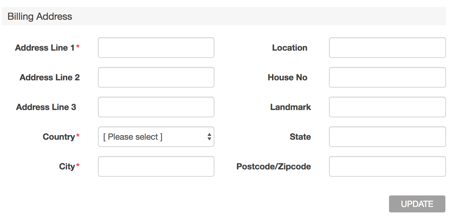
Under Address Information, update the required fields with any missing information.
Note:
The asterisk next to each field indicates that it is a Managed Services requirement.
-
Once you've filled out all of the Address Information, click Update.
Parent topic:Administration