Viewing Tests by Date Range
You can display the date range for a test on the TEST > View/Download Scan Summary page.
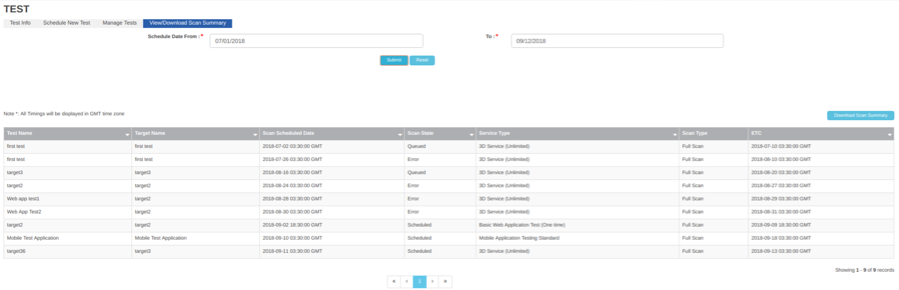
On the View/Download Scan Summary page, choose a From date and a To date, and then click Submit.
The page displays a table of all the tests that are scheduled within the range you chose, regardless of their current state. This table is called a Scan Summary. For example:
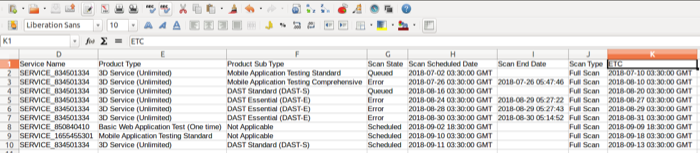
You can click Download Scan Summary to download this data in comma-separated (.csv) format. It should reflect the same columns as the Scan Summary page.
Parent topic:Checking the Status of a Test