Advanced Test Options for Web Targets
This section answers questions about the Web environment and Managed Services account management.
An asterisk (*) indicates a required field.
Crawler Filters
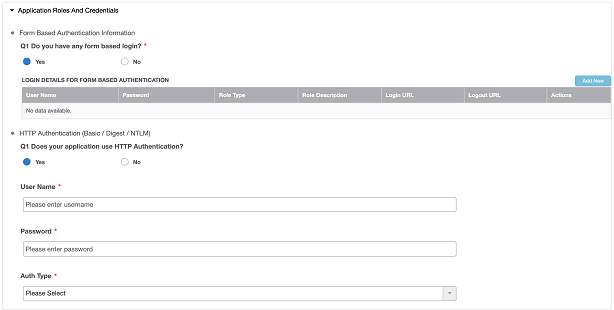
Q1. Do you have any form based login?* : If Yes, provide the login details for form based authentication.
Q1. Does your application use HTTP Authentication?* : If Yes, provide the login credentials and auth type.
Environment Details
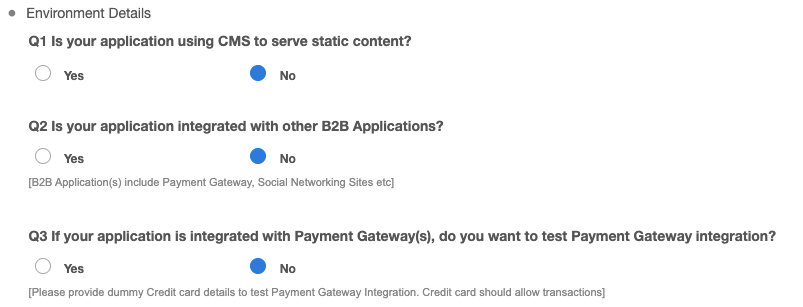
Q1. Is your application using CMS to serve static content?* : If YES, provide the names of the CMS (content management systems).
Q2. Is your application integrated with other B2B applications?* : If YES, list the B2B (business-to-business) applications. B2B applications include payment gateways, social networking sites, and so on.
Q3. If your application is integrated with payment gateways, do you want to test payment gateway integration?* : If YES, provide the information for a “test” credit card that allows transactions:
Account Details
These questions only apply to Dynamic Application Security Testing (DAST) and Penetration Testing (PT) assessments.

Q1. Is there any Account / User Lockout Policy?* : If YES, provide a list of the URLs that have lockout, and the number of failed login attempts that triggers a lockout.
Q2. Is there any Captcha protection available?* : If YES, list the URLs that have Captcha protection.
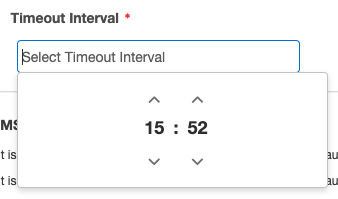
Q3. Is there any session expiration policy in your application?* : If YES, list the URLs with an expiration time, and the value of the timeout interval.
When you click the Timeout Interval field, a small dialog pops up. It has sliders for choosing a specific hour and minute, and a Now button that sets the sliders to the current time of day, on a 24-hour clock.
Parent topic:Scheduling Tests for Web Targets