Using Cumulative Reporting
Cumulative Reporting provides all open findings from a given target that are reported from previous tests, along with new findings identified in current tests.
Enable Cumulative Reporting to provide separate results for multiple targets and URLs that you have previously scanned. To separate test results by application, create a separate target for each application, and enable Cumulative Reporting for those targets. When Cumulative Reporting is enabled, it copies all open findings based on previous tests based on the target.
Disable Cumulative Reporting if you have tested multiple applications that use the same target. In this manner, the vulnerabilities related to the applications in that target do not get related to the same targets. When Cumulative Reporting is disabled, it copies open findings based on the target and test URL.
Results of enabling or disabling Cumulative Reporting are reflected in the reports.
Note: For a given application, create individual targets instead of multiple targets, as this makes Cumulative Reporting more accurate.
Enabling Cumulative Reporting
You can enable Cumulative Reporting as follows.
Important: Cumulative Reporting is enabled only for partner use and not for customers. To enable or disable Cumulative Reporting, contact your Black Duck client manager.
At the customer level:
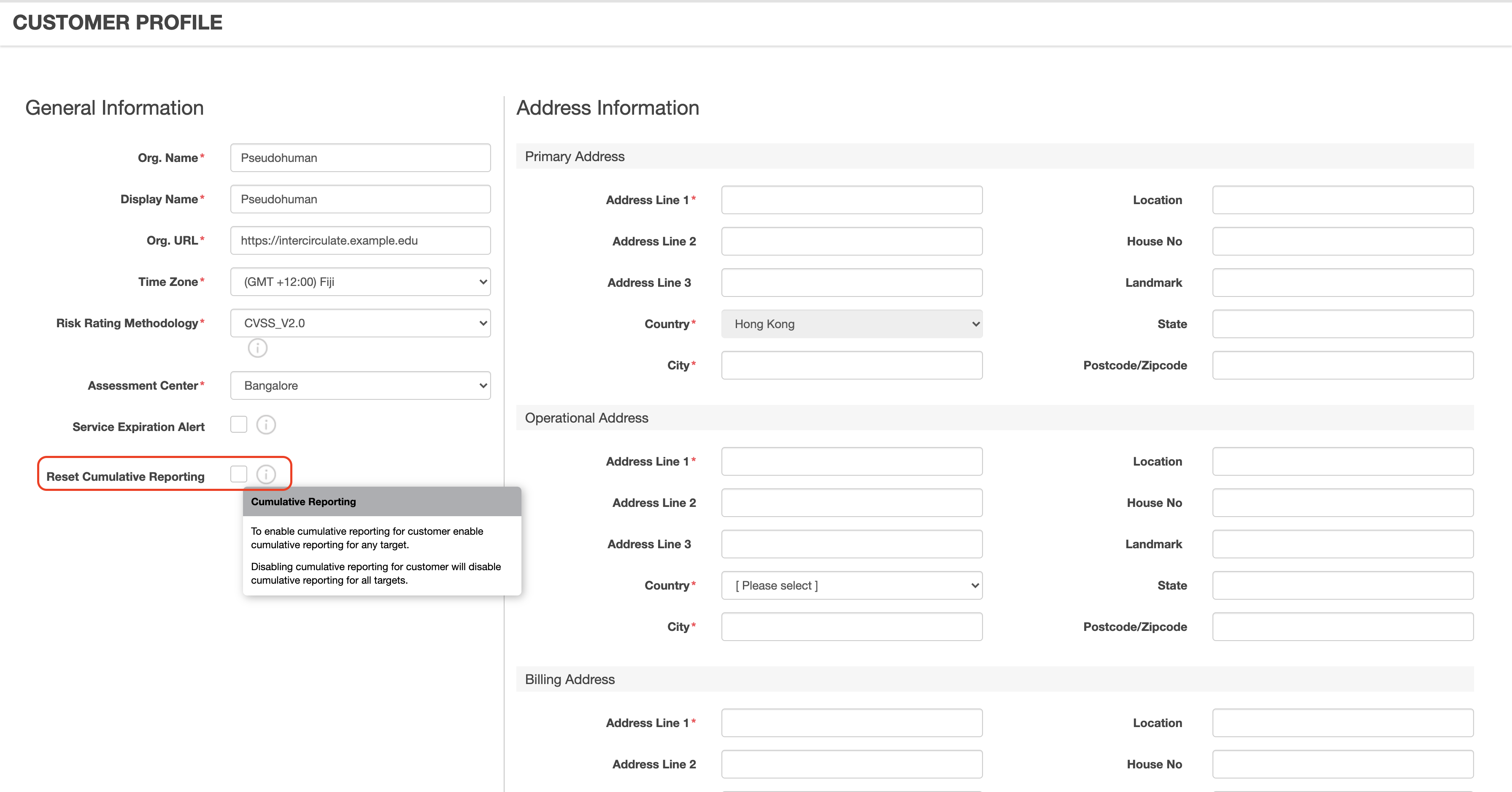
- Navigate to Customer Profile > General Information.
- At the bottom of the panel, click the check box for Reset Cumulative Reporting. Then click Update.
- Disabling Cumulative Reporting at the customer level disables Cumulative Reporting for all targets.
At the target level:
Note: If you want to enable Cumulative Reporting at the target level, you must also enable it at the customer level.
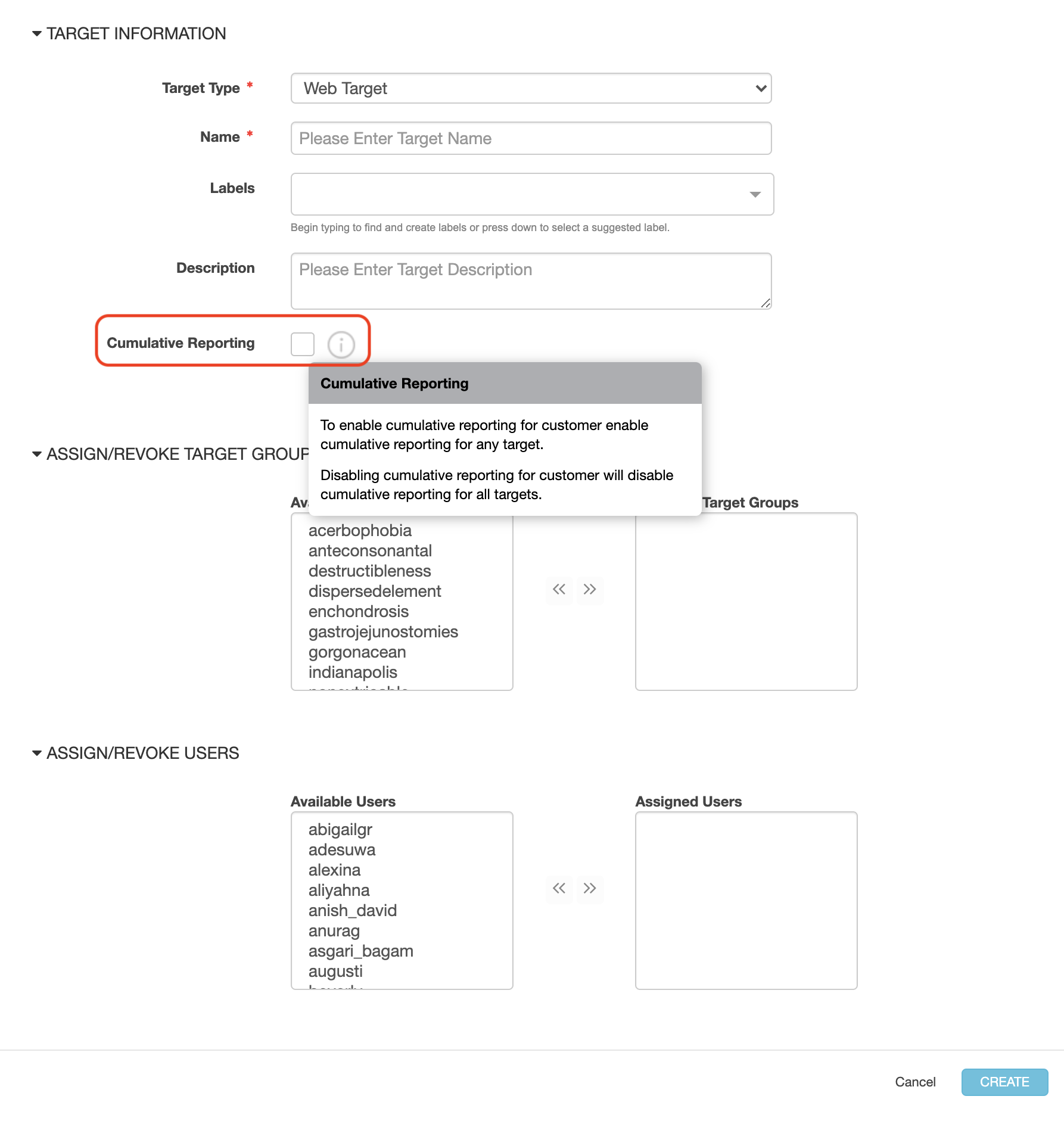
- Navigate to Target > Targets > +New Target. The Target Information screen displays.
- In Target Information screen, click the check box for Cumulative Reporting. Then click Create. Note that the selection at the target level overrides the selection at the customer level.
Parent topic:Test Reports