Application Roles and Credentials for Web Targets
This section answers questions about authentication techniques that your web pages might use.
Note: After you schedule a test, you can change credential information at any time before the test completes.
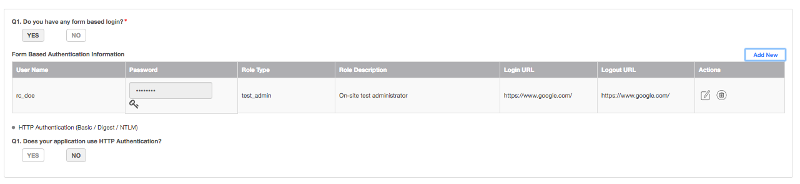
An asterisk (*) indicates a required field.
Q1. Do you have any form based login?* : Choose YES if your Web application requires users to authenticate themselves by entering a user name and password on a Web-based form.
Form based authentication information: : (Required if you responded YES to the previous question)
Enter authentication credentials for the roles that need to be tested. The maximum number of roles is 2 for Dynamic Application Security Testing: both DAST-S \(Standard\) and DAST-E \(Extended\). The maximum number of roles is 3 for Penetration Testing: both PT-S \(Standard\) and PT-E \(Extended\).

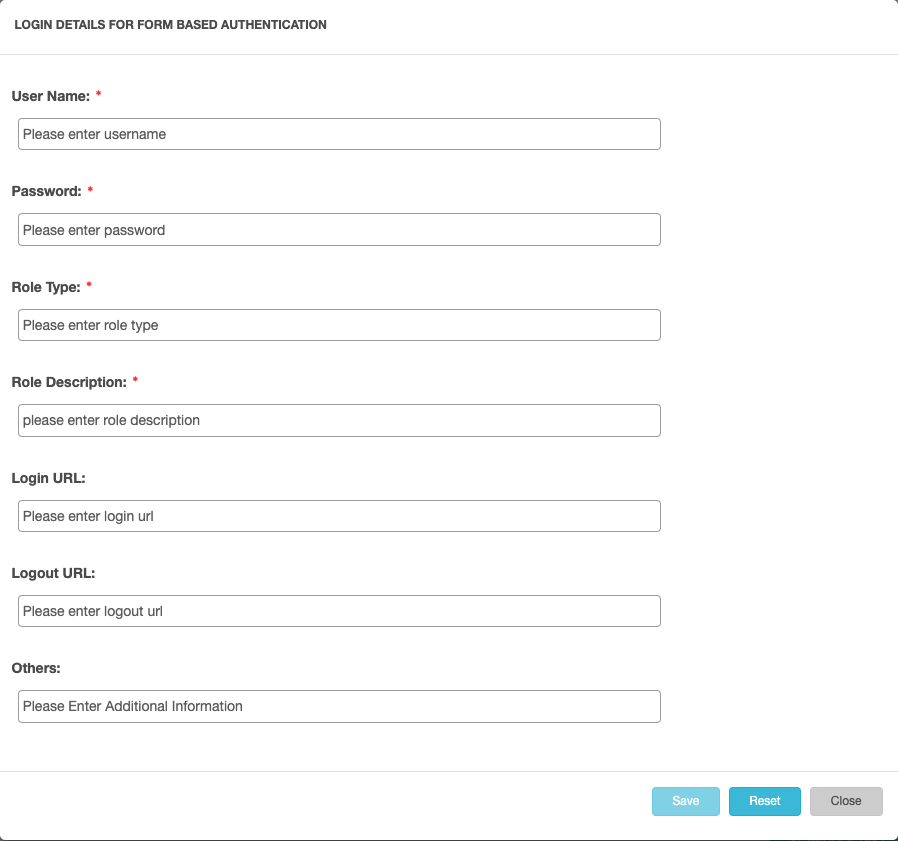
For each role, click **Add New** and then fill out all the entries in the dialog that appears:
HTTP Authentication (Basic / Digest / NTLM)
Q1. Does your application use HTTP Authentication? : Choose YES if your Web application requires users to authenticate themselves via HTTP.
If you choose YES for HTTP authentication, the page displays additional fields so you can specify the authentication information.
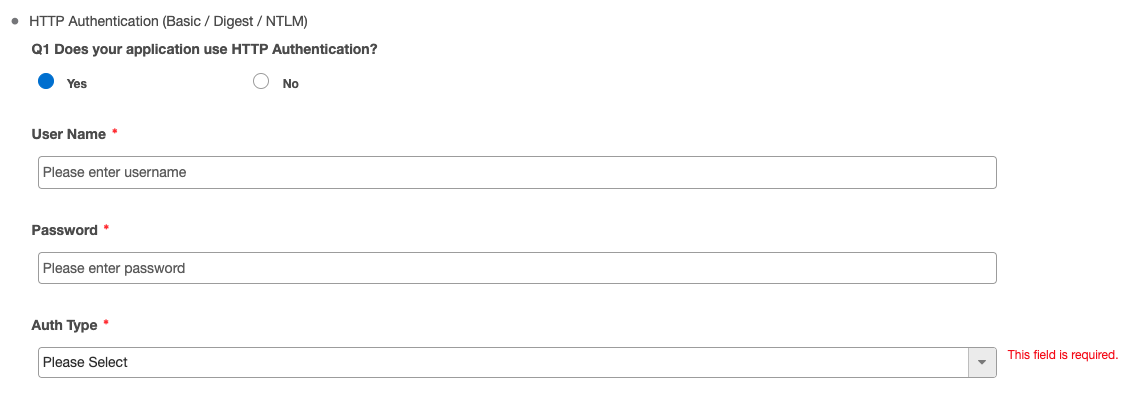
Fill in the User Name and Password, then choose the Auth Type. The Auth Type can be Basic, Digest, or NTLM (Windows NT LAN Manager).
If you choose NTLM as the Auth Type, an additional field prompts you to enter the NTLM domain name.
Parent topic:Scheduling Tests for Web Targets