Updating a Member Profile
A member profile can be edited, updated, or removed from the ADMIN tab in the Managed Services page.
To update a member profile, perform the following steps:
-
Click on the ADMIN tab at the top of the Managed Services page.
-
Click on the Members panel.

-
Under the Actions column, click on the edit icon. The edit icon looks like this:

-
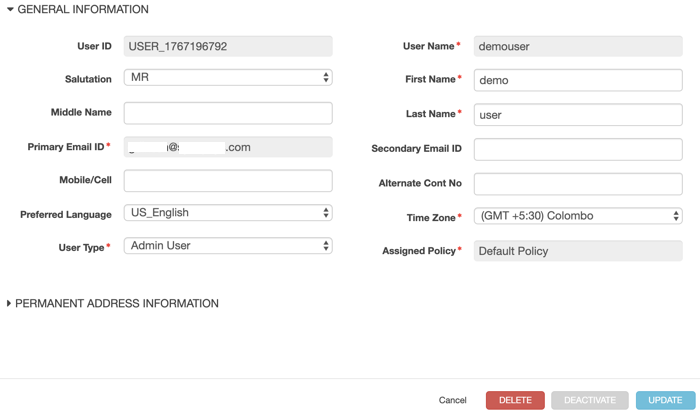
Change the information that you'd like to update.
-
Once you have updated the information, click Update.
-
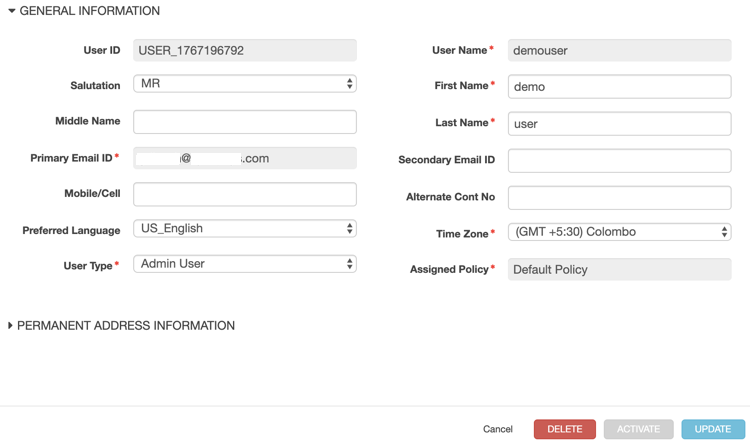
If you want to update or remove a member's status, do one of the following:
- To deactivate a member, click the DEACTIVATE button in the General Information dialog.
- To activate or reactivate a member, click the ACTIVATE button in the General Information dialog.
- To remove a member, click the DELETE button in the General Information dialog.
Parent topic:Administration