Creating a New Policy
An account policy can be created rom the ADMIN tab in the Managed Services page.
To create a new account policy, perform the following steps:
-
Click on the ADMIN tab at the top of the Managed Services page.
-
Click on the Policy panel.

-
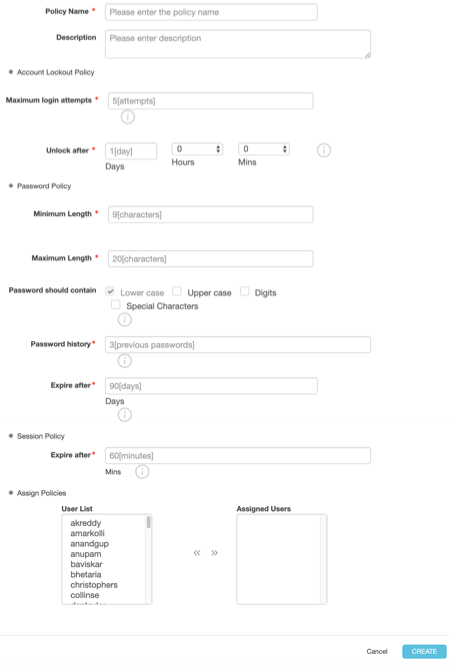
Click + New Policy. The following form should display:
-
Fill out the required information.
For example, you can create a specific policy around password attempts or session duration.
-
Once you have answered all of the required fields, click Create.
Parent topic:Administration