Viewing the Scheduled Times for Tests
You can view the scheduled times for a test on the TEST > Test Info page.
Users can better manage their test schedules by viewing the estimated time of completion for each test.
-
Navigate to the TEST > Test Info page. This displays a list of all your scheduled tests.
-
Click on the entry of the test for which you want to view additional information. The right-hand side column should display additional information about your test, which includes the scheduled and actual dates for starting and ending a test.
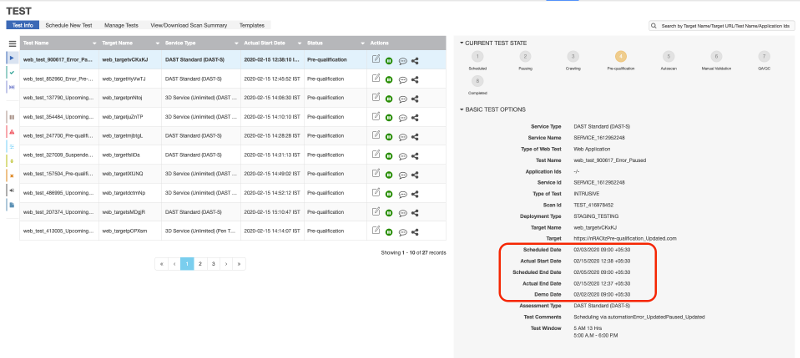
The specific time-related fields are:
- Scheduled Date
- Actual Start Date
- Scheduled End Date
- Actual End Date
- Demo Date Note: You can also view the schedule information for a test in the View/Download Scan Summary panel.
Parent topic:Checking the Status of a Test