Viewing and Modifying Test Dates
You can view and modify test dates from the TEST > Manage Tests page.
To view the scheduled dates for the tests that you are assigned to, you must have View Scan permissions.
To modify the scheduled dates for tests that you are assigned to, you need Update Scan permissions.
You can use either the Gantt view or the Calendar view to display and modify test dates.
Note: Tests in cancelled and on-hold states do not appear in these views.
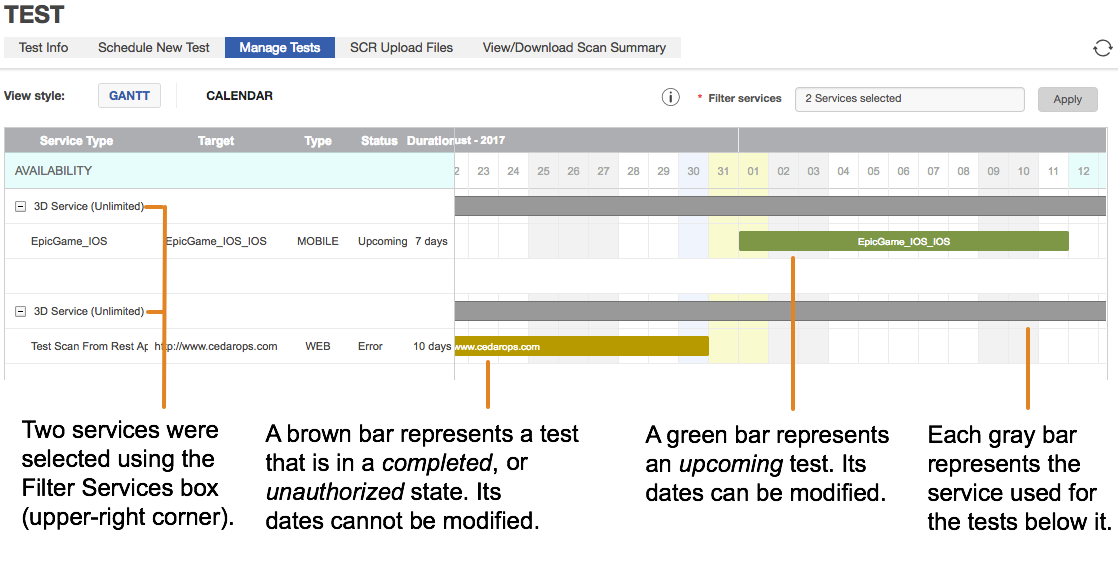
Gantt view
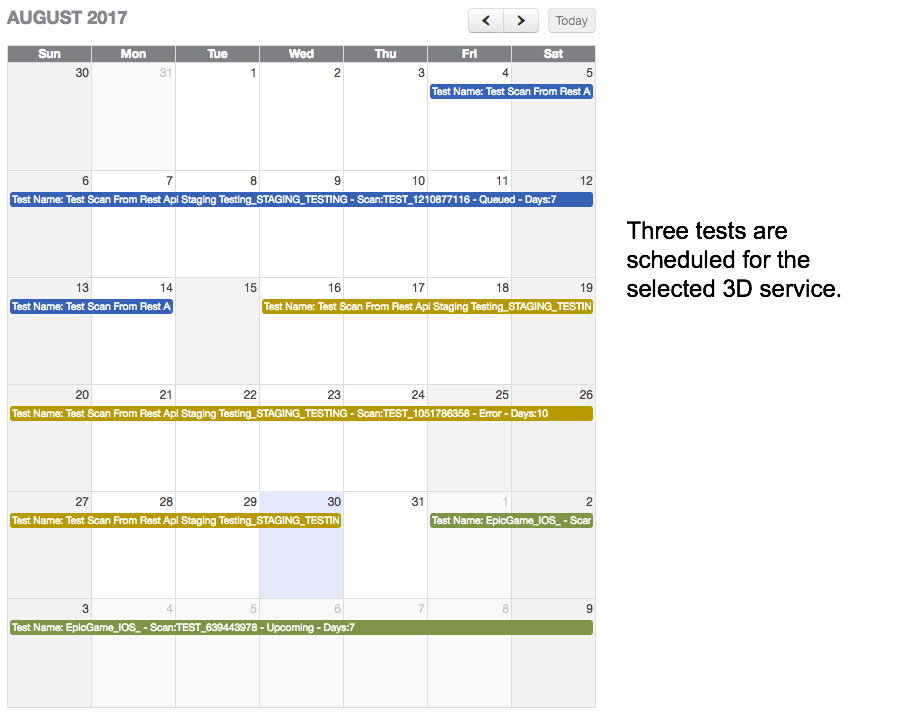
Calendar view
- Displaying Test Dates in Gantt View
You can view the entire test date schedule from TEST > Manage Tests page. - Rescheduling Test Dates in Gantt View
You can modify the test schedule from the TEST > Manage Tests page. - Displaying Test Dates in Calendar View
You can view the entire test schedule from the TEST > Manage Tests page. - Rescheduling Test Dates in Calendar View
You can modify the test schedule from the TEST > Manage Tests page.
Parent topic:Working with Tests